
Showing posts with label js. Show all posts

Sunday, March 26, 2017

An Introduction to TypeScript

You may also like to see:

Initially, JavaScript language was introduced for the client side programming, later with the Node.js progress it started to become an emerging server-side programming language too. As you might know when you start developing an application with JavaScript and as its code starts to grow, at some points it gets complex and difficult to maintain.

Since JavaScript does not support the features like strong type checking, concepts of object-oriented programming and compile time error checks which make it a difficult language to code with. Also, these problems limit JavaScript usage for enterprise level applications development. TypeScript is developed to overcome these issues and make a reliable and better experience of coding with JavaScript. TypeScript is a promising change and will likely to make JavaScript much famous.

What is TypeScript?
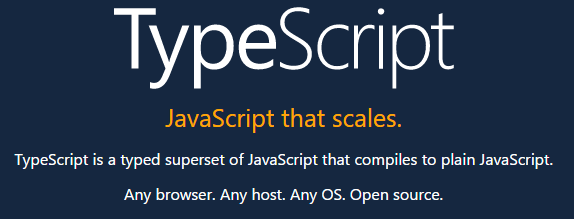

Definition of TypeScript on its official site.

As stated in the definition of the official site, the TypeScript is strongly typed superset of JavaScript that generates the JavaScript, which means that TypeScript is JavaScript moreover it has some additional helpful features. TypeScript is a transpiler which generates the plain JavaScript, so at any point, if you are not comfortable with TypeScript syntax, you can start writing a JavaScript syntax code & it will work perfectly with TypeScript code.

TypeScript helps to code in structural programming style, using classes, interfaces, strong typing, modules and also it easily integrates with other popular JavaScript libraries. TypeScript is kind of wrapper on JavaScript that has extra features to help the developer.

TypeScript is developed by Microsoft and also it has been used to develop the Angular 2, which is also the reason that TypeScript gained so much attention recently. Having the support of two big tech communities means that there is a lot more to come in future and surely it is going to be a more stable tool.

Why TypeScript?


TypeScript is just a superset of JavaScript, it does not have any effect on the final output. So it is completely on you to use TypeScript or not. The reasons to use TypeScript is its great tools which help in larger projects where your code-base is larger, TypeScript helps to manage the code base.

Development Friendly Tools


As discussed earlier, with larger size projects JavaScript code gets messier and difficult to manage and if the code is not properly structured it gets nightmare to work on. Once project size gets bigger making refactoring or any kind of changes to existing code is very scary or kind of next to impossible task. TypeScript has some great tools to manage the larger code base, like navigation, IntelliSense, and easy refactoring. These are the tools that required for a large project.

With these great tools, any changes or refactoring in existing codes is less risky and time savings. The extensions like Resharper helps in utilizing these tools very effectively.

Object Oriented Programming flavor


With TypeScript you can achieve object oriented flavor in JavaScript, it allows you to create an interface, classes, implement inheritance. These are the concepts any developer having experience in OOP language can understand. Let's take an example that you are working on an application in which you have an object of User with different roles (i.e, Admin, EndUser etc), which has some basic user properties. Now if you are working on plain JS, you cannot restrict the definition of User object i.e, its properties and functions. That is the reason you might have different versions of the User object in different methods.

While using TypeScript you can define an interface for User objects and all roles will implement this interface so that we can make sure that object contains the required mandatory properties.
interface IUser {
   id: int; 
   firstName: string;
   LastName: string;
   email: string;
   //...
} 

class SuperAdmin implements IUser {
//other custom properties
} 
class EndUser implements IUser {
//other custom properties
} 

An important point here is that TypeScript gives these flavors of Object Oriented programming but not force it and as already discussed any valid js code is valid TypeScript code so a developer might start developing on concrete objects instead of these abstract implementation without any warning.

Readable and Easy to understandable Code


TypeScript adds details to the signature of function which makes it easy to understand. Let's take an example of jQuery ajax function, how descriptive it is?
jQuery.ajax(url, settings);
What information you can get from this line of code? It is a function which takes two arguments, what are those two arguments types? Is URL an object? what are settings object contains? its declaration has not clear information. To find the answers to above concerns you will require to see its source code or the jQuery documentation which is the overhead.
Let see the strong type declaration of the same function:

ajax(url: string, settings?: AjaxSettings): XHRObject;

interface AjaxSettings{
  cache?: boolean;
  async?: boolean;
  contentType?: any;
  headers?: {
     [key: string]: any;
  };
  //...
}

interface XHRObject {
  responseJSON?: any;
  //...
}
Let see what this function is telling us, it says ajax is a function which can take two arguments, URL which is a string and AjaxSettings is an optional argument, which is an interface and can only contain the properties of specific type, allowed by the interface definition also declaration tells us that this function will return XHRObject.

Migrating Existing Code


If you have existing written code you can easily migrate your js code to TypeScript code without much effort. Since TypeScript is just a superset of JavaScript and any valid JS code is a valid TypeScript code. So you can convert any existing .js file to .ts (TypeScript file extension). After switching file extension you can start changing dynamic types of your code to strongly typed. Once your are done with one module you can pick next module and your code is any time ready and functional whether its completely migrated to TypeScript or not.

You may also like to see:

Sunday, August 31, 2014

Object Oriented JavaScript : Inheritance, Polymorphism and Encapsulation

Here is Previous Parts of this series:

This is the third article of the series of Object Oriented JavaScript. In previous article we have seen private, public and static types of method.

Constructor


Lets start this article with Constructor as whenever you instantiate a class, you need to initialize some default values for this we initialize values in constructor but as in JavaScript Class is nothing but a function which contains methods and properties, so whenever you instantiate an object of JavaScript function /class it call that method so whatever you have initialize within the class will automatically be set. So you no need define separate constructor.
var Student = function () {
    console.log('Instance created');
    this.prop_one = "initialized value";
    this.prop_two = "initialized value";
};


var student = new Student();
console.log(student.prop_one); //initialized value
Here is Demo

Inheritance


Inheritance is one of the key feature of Object Oriented Programming, Inheritance can be achieved with prototype property. You can create a parent class and then inherit all the public methods and properties in child class. In JavaScript you do this by assigning an instance of the parent class to the child class. In ECMAScript 5 and above you can also use Object.create() to implement inheritance.

Lets see an example of inheritance in which we define a Human class and then inherit it in Student class and override some method of Human class.
// Define the Human constructor
function Human(fullName) {
  this.fullName = fullName;
}

// Add a couple of methods to Human.prototype
Human.prototype.speak = function(){
  alert("I speak English!");
};
Human.prototype.introduction = function(){
  alert("Hi, I am " + this.fullName);
};

See fiddle demo here.

Now we will create a child class of student

// Define the Student
function Student(fullName, school, courses) {

 //To initialize or call parent class constructor we need to Human.call()  
 //for call() we need to pass this instance
 //since fullName is Human class property inherited in student so we
 //passed it to parent class
  Human.call(this, fullName);

  // Initialize our Student properties
   this.school = school;
   this.courses = courses;
};

See fiddle demo here.

To inherit it from parent Human class we will set Student.prototype

//Do not try to set new Human() here as we are not calling it here
//calling Human here need to pass fullName property which is not available here
//the correct place to call parent object is in child class constructor
//as we call it in above Student function code
Student.prototype = Object.create(Human.prototype); // See note below

// Set the "constructor" property to refer to Student
Student.prototype.constructor = Student;
As object.create() only works in browsers support ECMAScript 5 and above so to achieve this in older browser you can create your own function:
function createObject(prototype) {
    function emmptyClass() { }
    emmptyClass.prototype = prototype;
    return new emmptyClass();
}

Student.prototype = createObject(Human.prototype);
Lets see its usage:
// Example:
var student = new Student("Ahmed","NED University", "Computer Science");
student.introduction();   // "Hi, I am Ahmed"
student.speak();       // "I speak English!"

// Check that instanceof works correctly
alert(student instanceof Human);  // true 
alert(student instanceof Student); // true

See here the demo.

Polymorphism / Overriding


Polymorphism is the main pillar of Object Oriented Programming, it refers to the ability of an object to provide different behaviors in different state of objects. For example Parent class Human define a function of introduction() in which it contains simple introduction but Student object override it by adding more detailed information for introduction. So now Human() object has its own implementation of introduction and Student() has its own. It will be invoked according to the state of object.

As we inherited the Human object in Student object we can override its public methods by changing its definition.
// override the "introduction" method
Student.prototype.introduction= function(){
  alert("Hi, I am " + this.fullName + ". I am a student of " + this.school + ", I study "+ this.courses +".");
};
or you can also add new methods
// Add a "exams" method
Student.prototype.takeExams = function(){
  alert("This is my exams time!");
};

Here is usage of above overriden method:
var student = new Student("Ahmed","NED University", "Computer Science");
student.introduction();   // "Hi, I am Ahmed. I am a student of NED University, I study Computer Science."
student.speak();       // "I speak English!"
student.takeExams(); // "This is my exams time!"

// Check that instanceof works correctly
alert(student instanceof Human);  // true 
alert(student instanceof Student); // true

See demo here

Encapsulation


Encapsulation is the one of the three pillars (Encapsulation, Inheritance and polymorphism) of OOP, It is a way of structuring data and methods by concealing the implementation or internal logic of object. Like in above example Human object contains the speak() method which is available in Student object but Student object does not know about the implementation of speak() method. It is encapsulated in Human object/class, child class inherit it as it is and change the methods which is different from its parent.

Summary


In this series of article we see how beautiful and impressive JavaScript is. It is as powerful as any other Object Oriented programming language is. In above series of article I used the words like namespace, class for objects which actually do not exist in JavaScript, just to map the JavaScript to the language you are aware of it. Please write your feedback about this series of articles in comments.

You may also like to see:

Saturday, March 22, 2014

Currying In JavaScript

You may also like to see:

Currying is technique mostly mentioned in functional programming as function currying.

What is Functional Programming?


Functional programming is a programming paradigm which primarily uses functions as means for building abstractions and expressing computations that comprise a computer program.

Confused! ok you do not need to understand what functional programming is for understanding currying. so ignore it.

What is currying?


Currying is to transform a function with many parameters to a function with less parameters or in other words, process of transforming a function with N parameters to a function that takes less than N parameters.

For example, a function takes A, B, C arguments and returns R as result i.e { A , B , C => R } currying allow you to change it to a function which takes only A  as argument and returns you a function which take B as argument and this second function takes B as argument and returns a function which takes C as arguments and this last method takes the argument C and returns you the Result R.

{A => { B => { C => R } } }

The curried effect is achieved by providing some of the arguments of the main function at first invocation, so that those values are fixed for the next invocation.

Lets see an example (Here is Demo)

var teacher = function(teacherName){
    return function(subject){
    console.log(teacherName+' teaches '+subject);
    }
}

var aliceTeach= teacher('Alice');

aliceTeach('JavaScript');
aliceTeach('Data Structures');


Here we used the concept of JavaScript Closure  (Closure allows you to use Parent scope variable in inner functions. ), first function takes the parameter teacherName and use this as closure in inner-function and return the function which has fixed value for teacher name but expecting subjects name. Since teacherName is prefilled, now calling function with subject has fixed teacher name with it.

Currying is helpful where your some arguments are fixed for certain module or series of function. For example you write a function that add two numbers (see demo):

function add(x,y){
    console.log('Sum is : '+(x+y));
}

add(4,2);

but what if there is situation you need to add 4 to different numbers, means your first argument is fixed. If you implemented without currying like above you need to write:

add(4,10);
add(4,21);
add(4,83);
...

There is a chance of mistake in passing some other argument instead of 4 if not still it is redundant to pass same argument many times.

If you implemented the function currying. (see demo here)

function add(x) {
    return function (y) {
        console.log('Sum is : ' + (x + y));
    }
}

var addFourTo = add(4);

addFourTo(10);
addFourTo(21);
addFourTo(83);

Now simply you need to pass one argument after binding first argument to a fixed value of 4 to a curried function.

You may also like to see:
Life insurance policy, bank loans, software, microsoft, facebook,mortgage,policy,