Facade design pattern is a structural design pattern. Word facade means 'a deceptive outward appearance'. As facade design pattern hides all the complexities of one or many sub-systems and provides a clean, easy to use facade interface.
We can create multiple Facade interfaces by grouping relevant sub-system in particular class. The client will communicate these facades instead of complex individual subsystems.
Facade Design Pattern - Class Diagram
Implementation
Let's implement a facade pattern on an e-commerce site. We are going to create an online shopping system in which user selects an item from a catalog and place an order. Let's see its code
public class Inventory
{
    public bool IsItemAvailable(String itemId)
    {
       return "Item details";
    }
}

public class Payment
{
    public String Pay(String itemId,Paypal paypal)
    {
       return "Charge for items";
    }
}

public class Shipping
{
    public String ShipOrder(String itemId,Address shipmentAddress)
    {
       return "Ship items to address";
    }
}

public class OrderFacade
{
    // composed of all Order related sub-systems
    Payment _Payment;
    Inventory _Inventory;
    Inventory _Shipping;

    public void OrderFacade()
    {
        _Payment = new Payment();
        _Inventory = new Inventory();
        _Shipping = new Shipping();
    }

    public void PlaceOrder(String itemId,string creditCard,string shipmentAddress)
    {
      // check if item is available
      if(!_Inventory.IsItemAvailable(itemId)) return "Item Not Available";
      // charge for item price
      _Payment.Pay(itemId, new Paypal(creditCard));
      // ship order to customer
      _Shipping.ShipOrder(itemId,shipmentAddress)
    }
}

public class Client
{
    public static void main()
    {
       OrderFacade orderFacade = new OrderFacade();
       orderFacade.PlaceOrder("1234", "321546", "23-B Frim Road, Moscow");
    }
}
As you have seen OrderFacade has encapsulated all the order-related activities and now client just has single point to communicate instead of invoking each sub-system individually. OrderFacade will delegate relevant sub-system and will complete the client request.
Facade pattern provides an interface which is easy to use for a client by hiding many interfaces. This pattern is actually straightforward but it is quite powerful. It allows us to make our system loosely coupled. There is a design principle Least Knowledge which guide us to have fewer dependencies between objects which mean objects should not be tightly coupled otherwise it would be difficult to manage.
Using Facade pattern as we know we have an interface which is responsible for communicating between the objects so it actually allows us to have fewer dependencies within objects. It has many advantages for instance in our example of online shopping system if our payment system is completely independent we can easily change it anytime without affecting the client.
Conclusion
Facade design pattern is a structural pattern which makes design easy by allowing to make a system less tightly coupled and provide an interface to the client which is clean and easy to use by hiding all complexities of sub-systems.
Decorator Pattern is a design Pattern that allows to dynamically add behavior to an existing individual object without making any code changes to the underlying classes. It is a flexible replacement to sub-classing for extending functionality to an object.
If you think inheritance is everything than decorator pattern helps you to learn the power of extension at run-time instead of compile-time. Let's try to learn and implement decorator pattern on a problem.
Decorator Pattern in Pizza Corner Problem
Pizza Corner growing restaurant chain around. Because they have grown, they’re trying to update their ordering systems to match their Pizza offerings. While starting their business they created their classes like this.
Pizza Corner order system's classes design
Other than regular Pizza, you can ask for several pizza topping options like Bacon, Black olives, Chicken, Extra cheese, Mushrooms, Onions, Sausage and much more. Pizza Corner charges for each of these topping, so they want to add these into their system.
First Implementation
First implementation of adding new abilities in system team created a child class for each pizza with each topping option. So first implementation looks like.
If your first thought was also to use inheritance for this problem then you are incorrect. What if Pizza Corner started offering more toppings or added new pizza type you have to add all combination of classes in a system which will become hard to manage.
Alternate Solution
Developer team realize that this subclassed solution is not going to work and its actually a bad design so they started redesigning the system. Now they created instance variables for each topping option in the base class. So each child class can set options which it required.
This solution reduced the size of classes but there is another problem if you have noticed now all the classes has all the topping options so Vegie can also have chicken topping which should not be allowed. Additionally, this design also violate the basic design principle of "Classes should be open for an extension, but closed for modification." As whenever a new topping option will be introduced we need to modify our base class which is not correct.
Decorator Pattern
As we have seen different approaches for our problem at Pizza Corner which have not work out very well. Let's implement Decorator Pattern in this problem.
For decorator pattern we take our pizza type object and than decorate it with different toppings. Lets say we got an order for BBQChicken with Onions, ExtraCheese and Mushrooms.
First take a BBQChicken object
Decorate it with Onions
Decorate it with ExtraCheese
Decorate it with Mushrooms
Call the cost() method and delegation will add cost of all topping and pizza
Decorator Pattern - Decorating Objects
Here are some key points for decorator pattern implementations:
Decorators object should have the same base type as the objects they are decorating.
We can use more than one decorators to wrap an object.
Given that the decorator has the same supertype as the object it decorates, we can pass around a decorated object in place of the original (wrapped) object.
The decorator object apply its own behavior either after or/and before delegating to the object it decorates.
We can decorate objects dynamically at runtime with as many decorator as we required.
Code Implementation
Here is a diagram which shows the design of decorator pattern. We have to implement this design for our system. I am going to implement it in C# language.
Decorator Pattern - Image from Head First Design Pattern
Our base class of Pizza which will be inherited by all pizza types and toppings.
public abstract class Pizza
{
  String description = “Unknown Pizza”;
  public String getDescription()
  {
    return description;
  }

  public abstract double cost();
}
Here are our concrete components classes for each pizza type. Each concrete components will set is own definition for cost method and set description.
public class BBQChicken : Pizza
{
  public BBQChicken()
  {
    description = “BBQ Chicken”;
  }
  public double cost()
  {
    return 800; //rupees
  }
}

public class HotChickenWings: Pizza
{
  public HotChickenWings ()
  {
    description = “Hot Chicken Wings”;
  }
  public double cost()
  {
    return 750; //rupees
  }
}
public class Vegie : Pizza
{
  public Vegie()
  {
    description = “Vegetable Pizza”;
  }
  public double cost()
  {
    return 650; //rupees
  }
}
Let implement topping decorator abstract class:
public abstract class ToppingDecorator : Pizza
{
  public abstract String getDescription();
}
We have implemented our base topping decorator class, lets implement decorator class.
public class Onions : ToppingDecorator // ToppingDecorator inherit Pizza
{
  Pizza pizza;
  public Onions(Pizza pizza)
  {
    this.pizza = pizza;
  }
  public String getDescription()
  {
    return pizza.getDescription() + “, Onions”;
  }
  public double cost()
  {
    return 120 + pizza.cost();
  }
}
public class ExtraCheese : ToppingDecorator // ToppingDecorator inherit Pizza
{
  Pizza pizza;
  public ExtraCheese(Pizza pizza)
  {
    this.pizza = pizza;
  }
  public String getDescription()
  {
    return pizza.getDescription() + “, ExtraCheese”;
  }
  public double cost()
  {
    return 160 + pizza.cost();
  }
}
// similarly implement all toppings
Serve Some Pizzas
As we have implemented decorator pattern for Pizza Corner lets serve some order of pizza and see how its going to work.
public class PizzaCorner
{
  public static void Main(String[] args)
  {

    Pizza pizza = new HotChickenWings();
    System.Console.WriteLine(pizza.getDescription() + “ Rs.” +pizza.cost());

    Pizza pizza2 = new BBQChicken();
    pizza2 = new Onions(pizza2);
    pizza2 = new ExtraCheese(pizza2);
    pizza2= new Mushrooms(pizza2);
    // cost triggering order is Mushrooms, ExtraCheese, Onions, BBQChicken
    System.Console.WriteLine(pizza2.getDescription()+ “ Rs” +pizza2.cost());
  }
}
Decorator Pattern in JavaScript
Let's implement the decorator pattern in JavaScript. Let's say a Cell Phone company implementing their system. They create Cell Phone with different features e.g, Camera, Wifi, 3G, Bluetooth etc each of these features has some cost. They want to implement their system in a way they don't need to change the whole system when they introduce a new phone model with some feature. Here we going to use decorator pattern in which we take base Cell Phone object and decorate it with Feature decorator.
//object we're going to decorate
function CellPhone() {
    this.cost = function () { return 397; };
    this.screenSize = function () { return 5; };
}
/*Decorator 1*/
function Camera(cellPhone) {
    var price = cellPhone.cost();
    cellPhone.cost = function() {
        return price + 45;
    }
}
 /*Decorator 2*/
function Wifi(cellPhone){
   //get cell phone current price
   var price = cellPhone.cost();

   //update cell phone cost() function
   //and add feature price to current price
   cellPhone.cost = function(){
     return  price + 90;
  };
}

 /*Decorator 3*/
function threeG(cellPhone){
   var price = cellPhone.cost();
   cellPhone.cost = function(){
     return  price + 90;
  };
}

/*Decorator 4*/
function Bluetooth(cellPhone){
   var price = cellPhone.cost();
   cellPhone.cost = function(){
     return  price + 50;
  };
}
Company introduced a new model with Camera, Wifi and bluetooth. Lets see how to decorate the object:
var newModelCellPhone = new CellPhone();
Camera(newModelCellPhone);
Wifi(newModelCellPhone);
Bluetooth(newModelCellPhone);
console.log(newModelCellPhone.cost());
console.log(newModelCellPhone.screenSize());
Conclusion
We have implemented Decorator Design Pattern which add behavior to an existing object without making any code changes to the underlying classes as you notice its follow the design principle of "Open for an extension, closed for the modification" Now if Pizza Corner add any new Topping serving the need to extend the system by implementing new decorator class and no need to existing system. If you have any question or feedback please post in comments.
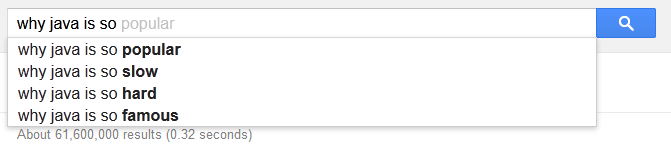
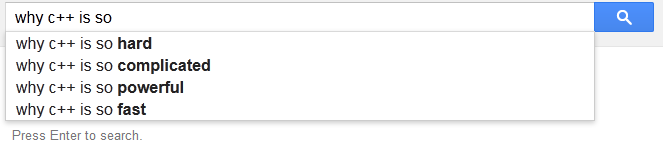
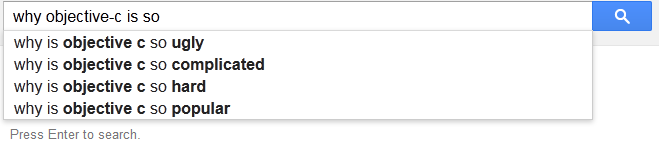
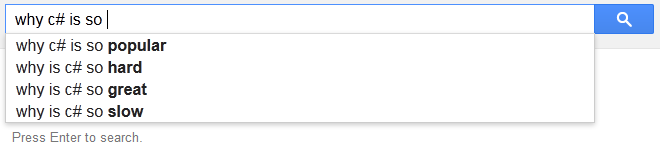
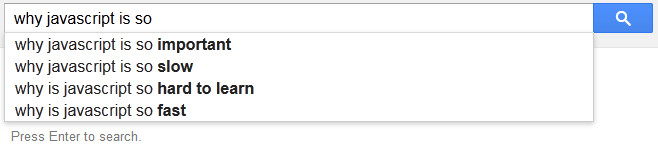
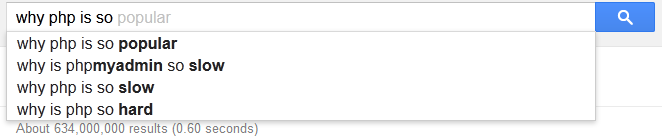
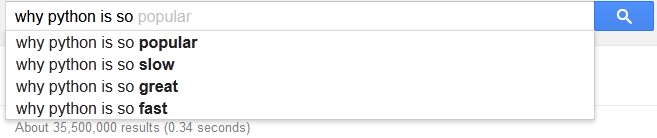
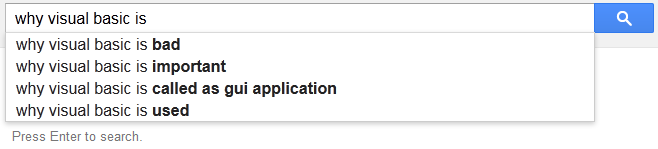
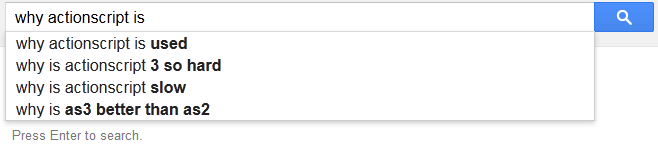
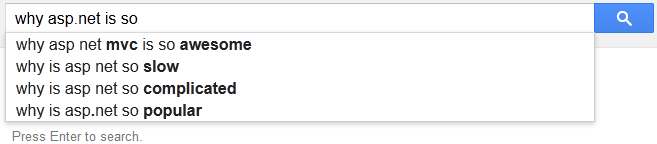
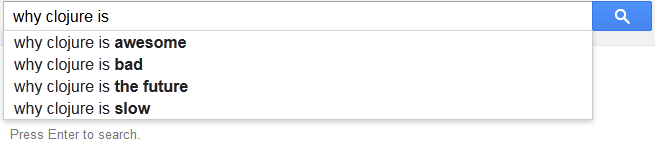
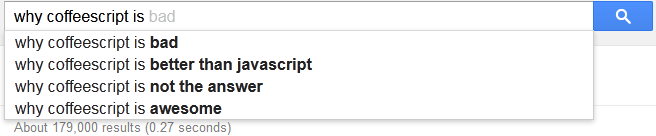
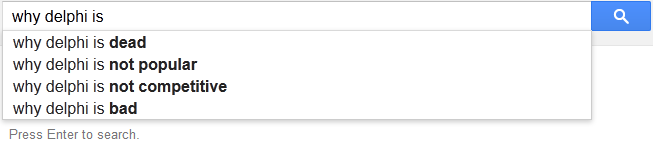
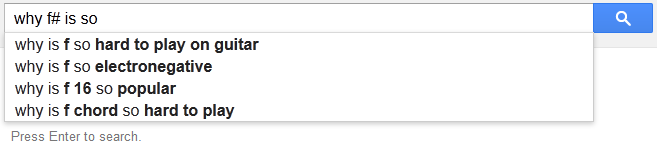
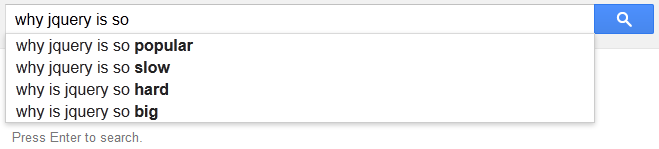
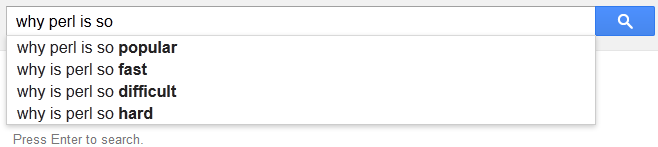
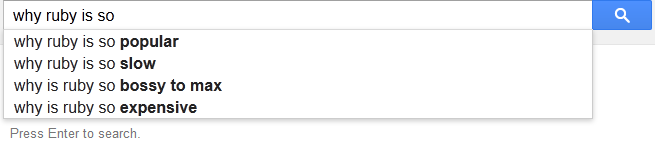
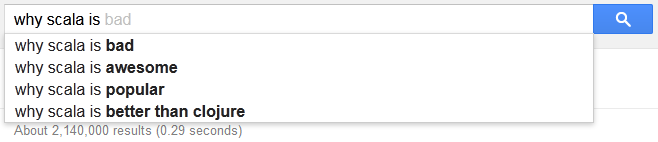
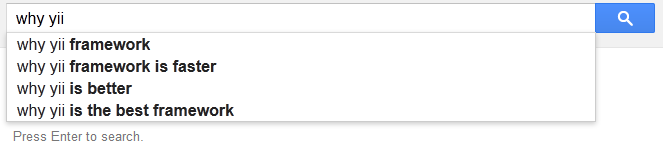
Google autocomplete suggestion give you popular searches for your typed word. Here I search about different programming languages and frameworks. See what Google suggested me.
Some suggestion are really nice but some are.... see.
int _Int = 1;
short _Short = 1;
object _objectInt1 = _Int;
object _objectInt2 = _Int;
object _objectShort = _Short;
Console.WriteLine(_Int == _Short);   // case 1 true
Console.WriteLine(_Short == _Int);   // case 2 true
Console.WriteLine(_Int.Equals(_Short));   // case 3 true
Console.WriteLine(_Short.Equals(_Int));   // case 4 false
Console.WriteLine(_objectInt1 == _objectInt1);   // case 5 true
Console.WriteLine(_objectInt1 == _objectShort);  // case 6 false
Console.WriteLine(_objectInt1 == _objectInt2);   // case 7 false
Console.WriteLine(Equals(_objectInt1, _objectInt2));  // case 8 true
Console.WriteLine(Equals(_objectInt1, objectShort)); // case 9 false
How these cases are working?
Console.WriteLine(_Int == _Short); // case 1 true
Console.WriteLine(_Short == _Int); // case 2 true
For case one and two we must first determine what the == operator means here. C# defines over a dozen different built-in == operators:
string == string
object == object
ulong == ulong
uint == uint
int == int
long == long
...
There is no comparison operator for different data types comparison i.e, int == short or short == int, So for this there other possibilities in available operator will be determined, the best match for the case is int == int or short == short but implicit conversion of int to short is not possible and error prone. So the short is converted to int and then the two values are compared as numbers. They are therefore equal as both holds the same value.
Console.WriteLine(_Int.Equals(_Short)); // case 3 true
In case three we must first find which overloaded methods from available methods is invoked here. The Equals() here is called by a type int and it has three methods named Equals:
Equals(object, object) // static method from object
Equals(object)         // virtual method from object
Equals(int)            // Implements IEquatable.Equals(int)
The first one we can eliminate because there are different count of arguments, Of the other two, the unique best method is the one that takes an int; it is always better to convert the short argument to int than to object. Therefore we call Equals(int), which then compares the two integers again using value equality, so this is true.
Console.WriteLine(_Short.Equals(_Int)); // case 4 false!
In scenario four we again must determine what Equals means. The receiver is of type short which again has three methods named Equals
Equals(object, object) // static method from object
Equals(object)         // virtual method from object
Equals(short)          // Implements IEquatable.Equals(short)
Overload resolution eliminates the first because there are too few arguments and eliminates the third because there is no implicit conversion from int to short. That leaves short.Equals(object), which has the moral equivalent of this implementation:
bool Equals(object z)
{
  return z is short && (short)z == this;
}
That is, for this method to return true the argument passed in must be a boxed short, and when unboxed it must be equal to the receiver. Since the argument is a boxed int, this returns false. There is no special gear in this implementation that says “well, what if I were to convert myself to the type of the argument and then compare?”
Console.WriteLine(_objectInt1 == _objectInt1); // case 5 true
Console.WriteLine(_objectInt1 == _objectShort); // case 6 false!!
Console.WriteLine(_objectInt1 == _objectInt2); // case 7 false!!!
In scenarios five, six and seven operator overload resolution chooses the object == object form, which is equivalent to a call to Object.ReferenceEquals. Clearly the two references are equal in case five and unequal in cases six and seven. Whether the values of the objects when interpreted as numbers are equal does not come into play at all; only reference equality is relevant.
Console.WriteLine(Equals(_objectInt1, _objectInt2)); // case 8 true
Console.WriteLine(Equals(_objectInt1, objectShort)); // case 9 false
In scenarios eight and nine operator overload resolution chooses the static method Object.Equals, which you can think of as being implemented like this:
public static bool Equals(object x, object y)
{
    if (ReferenceEquals(x, y)) return true;
    if (ReferenceEquals(x, null)) return false;
    if (ReferenceEquals(y, null)) return false;
    return x.Equals(y);
}
In scenario eight we have two references that are unequal and not null; therefore we call int.Equals(object), which as you would expect from our previous discussion of short.Equals(object) is implemented as the moral equivalent of:
bool Equals(object z)
{
  return z is int && (int)z == this;
}
Since the argument is of type int it is unboxed and compared by value. In scenario nine the argument is a boxed short and so the type check fails and this is false.
We discussed nine different methods that two things can be compared for equality, despite the fact that we have always same input of 1 in both side of comparison, equality is true in only half the cases. If you think this is crazy and confusing, you’re right! Equality is tricky in C#.